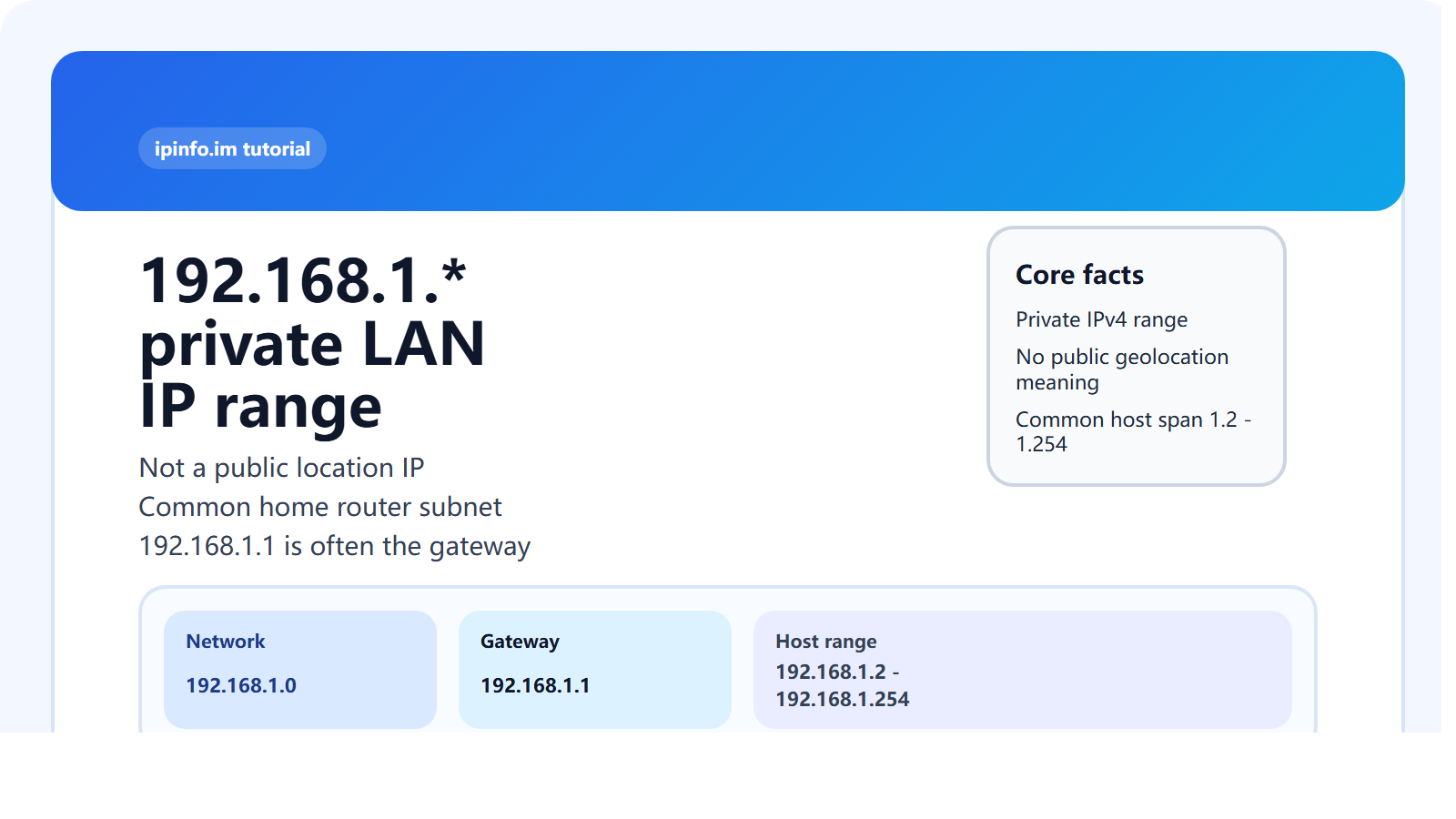
192.168.1.* is not a public location-based IP range. It is part of the private IPv4 space inside 192.168.0.0/16. In practice, it is one of the most common LAN subnets used by home routers, office networks, cameras, printers, NAS devices, TVs, phones, and computers. So when you see 192.168.1.5 or 192.168.1.100, you are usually looking at an internal network address behind a router, not a public internet IP that can be geolocated to a city.
If you search for “what is a 192.168.1.* IP address” or “where is 192.168.1 located,” the correct answer is simple: it has no fixed public geographic location because it is a private LAN range. The IP that represents your public location is usually your router's outward-facing internet IP, not the 192.168.1.* address assigned inside your local network.
What is a 192.168.1.* IP address?
192.168.1.* is a private IPv4 LAN range. It is common in homes and small offices. It is not routable across the public internet, and it should not be interpreted as a city, country, or ISP geolocation result.
Why is 192.168.1.* so common?
RFC 1918 reserves three main private IPv4 blocks:
10.0.0.0/8172.16.0.0/12192.168.0.0/16
Inside that space, 192.168.1.0/24 became one of the default choices for consumer routers. That is why so many users see 192.168.1.1 as the router gateway and a wide range of local devices under 192.168.1.2 through 192.168.1.254.
What do 192.168.1.0 - 192.168.1.254 mean?
| Address | Typical role | Note |
|---|---|---|
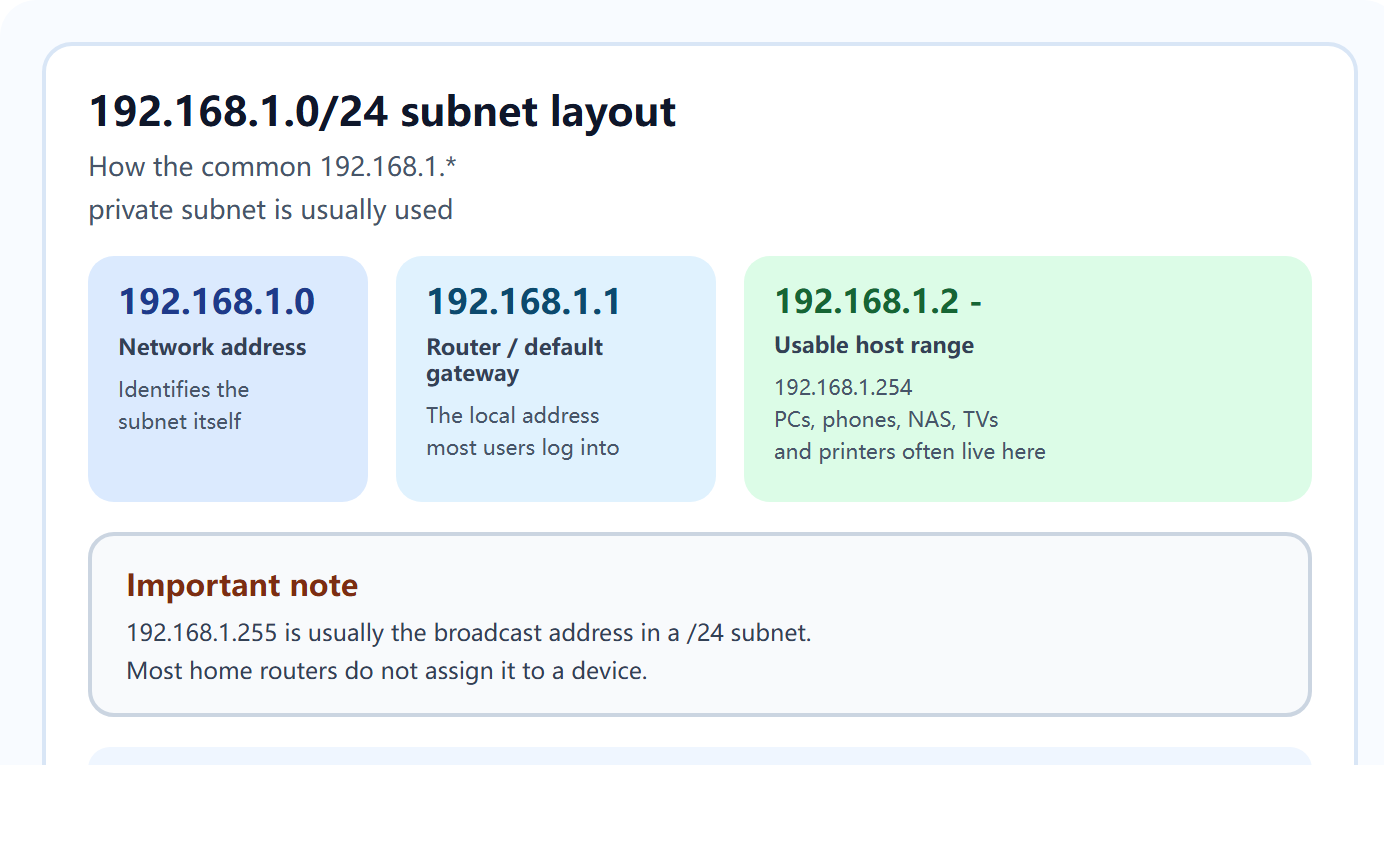
192.168.1.0 | Network address | Subnet identifier in a /24 network |
192.168.1.1 | Router / gateway | Most common default LAN gateway |
192.168.1.2 - 192.168.1.254 | Usable host range | Phones, PCs, TVs, printers, NAS and IoT devices |
192.168.1.255 | Broadcast address | Usually reserved and not assigned to a host |
In a typical 192.168.1.0/24 subnet, 192.168.1.0 is the network address, 192.168.1.1 is often the router, 192.168.1.2 - 192.168.1.254 are normal host addresses, and 192.168.1.255 is usually reserved as the broadcast address.
Is 192.168.1.1 a public IP?
No. 192.168.1.1 is usually the default gateway or admin address of a home router. It is not the public IP that websites see from the outside.
Can 192.168.1.* be geolocated?
Normally no. Since it is a private address range, it does not have meaningful public geolocation data. If a log file shows 192.168.1.5, that usually means the request passed through a reverse proxy, internal network, or application layer that recorded an internal source instead of the real public client IP.
Typical use cases for 192.168.1.*
- Home router LAN addressing
- Office LANs and small business networks
- Static or DHCP addresses for printers, NAS devices, cameras and TVs
- Testing labs, VMs and some internal application networks
- Internal source IPs in web server or proxy logs
Private IP address list: 192.168.1.0 - 192.168.1.254
192.168.1.0    192.168.1.1    192.168.1.2    192.168.1.3    192.168.1.4
192.168.1.5    192.168.1.6    192.168.1.7    192.168.1.8    192.168.1.9
192.168.1.10    192.168.1.11    192.168.1.12    192.168.1.13    192.168.1.14
192.168.1.15    192.168.1.16    192.168.1.17    192.168.1.18    192.168.1.19
192.168.1.20    192.168.1.21    192.168.1.22    192.168.1.23    192.168.1.24
192.168.1.25    192.168.1.26    192.168.1.27    192.168.1.28    192.168.1.29
192.168.1.30    192.168.1.31    192.168.1.32    192.168.1.33    192.168.1.34
192.168.1.35    192.168.1.36    192.168.1.37    192.168.1.38    192.168.1.39
192.168.1.40    192.168.1.41    192.168.1.42    192.168.1.43    192.168.1.44
192.168.1.45    192.168.1.46    192.168.1.47    192.168.1.48    192.168.1.49
192.168.1.50    192.168.1.51    192.168.1.52    192.168.1.53    192.168.1.54
192.168.1.55    192.168.1.56    192.168.1.57    192.168.1.58    192.168.1.59
192.168.1.60    192.168.1.61    192.168.1.62    192.168.1.63    192.168.1.64
192.168.1.65    192.168.1.66    192.168.1.67    192.168.1.68    192.168.1.69
192.168.1.70    192.168.1.71    192.168.1.72    192.168.1.73    192.168.1.74
192.168.1.75    192.168.1.76    192.168.1.77    192.168.1.78    192.168.1.79
192.168.1.80    192.168.1.81    192.168.1.82    192.168.1.83    192.168.1.84
192.168.1.85    192.168.1.86    192.168.1.87    192.168.1.88    192.168.1.89
192.168.1.90    192.168.1.91    192.168.1.92    192.168.1.93    192.168.1.94
192.168.1.95    192.168.1.96    192.168.1.97    192.168.1.98    192.168.1.99
192.168.1.100    192.168.1.101    192.168.1.102    192.168.1.103    192.168.1.104
192.168.1.105    192.168.1.106    192.168.1.107    192.168.1.108    192.168.1.109
192.168.1.110    192.168.1.111    192.168.1.112    192.168.1.113    192.168.1.114
192.168.1.115    192.168.1.116    192.168.1.117    192.168.1.118    192.168.1.119
192.168.1.120    192.168.1.121    192.168.1.122    192.168.1.123    192.168.1.124
192.168.1.125    192.168.1.126    192.168.1.127    192.168.1.128    192.168.1.129
192.168.1.130    192.168.1.131    192.168.1.132    192.168.1.133    192.168.1.134
192.168.1.135    192.168.1.136    192.168.1.137    192.168.1.138    192.168.1.139
192.168.1.140    192.168.1.141    192.168.1.142    192.168.1.143    192.168.1.144
192.168.1.145    192.168.1.146    192.168.1.147    192.168.1.148    192.168.1.149
192.168.1.150    192.168.1.151    192.168.1.152    192.168.1.153    192.168.1.154
192.168.1.155    192.168.1.156    192.168.1.157    192.168.1.158    192.168.1.159
192.168.1.160    192.168.1.161    192.168.1.162    192.168.1.163    192.168.1.164
192.168.1.165    192.168.1.166    192.168.1.167    192.168.1.168    192.168.1.169
192.168.1.170    192.168.1.171    192.168.1.172    192.168.1.173    192.168.1.174
192.168.1.175    192.168.1.176    192.168.1.177    192.168.1.178    192.168.1.179
192.168.1.180    192.168.1.181    192.168.1.182    192.168.1.183    192.168.1.184
192.168.1.185    192.168.1.186    192.168.1.187    192.168.1.188    192.168.1.189
192.168.1.190    192.168.1.191    192.168.1.192    192.168.1.193    192.168.1.194
192.168.1.195    192.168.1.196    192.168.1.197    192.168.1.198    192.168.1.199
192.168.1.200    192.168.1.201    192.168.1.202    192.168.1.203    192.168.1.204
192.168.1.205    192.168.1.206    192.168.1.207    192.168.1.208    192.168.1.209
192.168.1.210    192.168.1.211    192.168.1.212    192.168.1.213    192.168.1.214
192.168.1.215    192.168.1.216    192.168.1.217    192.168.1.218    192.168.1.219
192.168.1.220    192.168.1.221    192.168.1.222    192.168.1.223    192.168.1.224
192.168.1.225    192.168.1.226    192.168.1.227    192.168.1.228    192.168.1.229
192.168.1.230    192.168.1.231    192.168.1.232    192.168.1.233    192.168.1.234
192.168.1.235    192.168.1.236    192.168.1.237    192.168.1.238    192.168.1.239
192.168.1.240    192.168.1.241    192.168.1.242    192.168.1.243    192.168.1.244
192.168.1.245    192.168.1.246    192.168.1.247    192.168.1.248    192.168.1.249
192.168.1.250    192.168.1.251    192.168.1.252    192.168.1.253    192.168.1.254
How do you tell whether an IP is private or public?
- If it begins with
192.168.,10., or172.16 - 172.31, it is probably private. - If you saw it on the router admin page or LAN adapter info, it is almost certainly internal.
- If you want the public-facing location IP, check your external IP instead.
- If a website log only shows
192.168.1.*, review proxy forwarding headers likeX-Forwarded-For.
Why does 192.168.1.0/24 often cause VPN conflicts?
Because it is so common. When two offices or a home network and a company VPN both use 192.168.1.0/24, routing conflicts are common. In practice, changing one side to another subnet such as 192.168.50.0/24 or 10.10.10.0/24 is usually the cleanest fix.
FAQ
What is 192.168.1.100?
Usually a device inside your home or office LAN, not a public internet IP.
Is 192.168.1.254 usable?
Yes, in many typical /24 LANs it can be assigned to a host if not reserved.
Why do I see 192.168.1.* in logs?
Often because of reverse proxies, internal hops, or app-layer logging that captured an internal source address.
Conclusion
192.168.1.* is a private LAN subnet, not a public geolocation range. It is mainly used inside routers and local networks. If you need your actual outward-facing location IP, you must inspect the public internet IP instead of the internal 192.168.1.* address.