HTTP security headers are the "security contracts" between browsers and servers. They instruct browsers on how to handle page content and defend against XSS, clickjacking, and MIME sniffing.
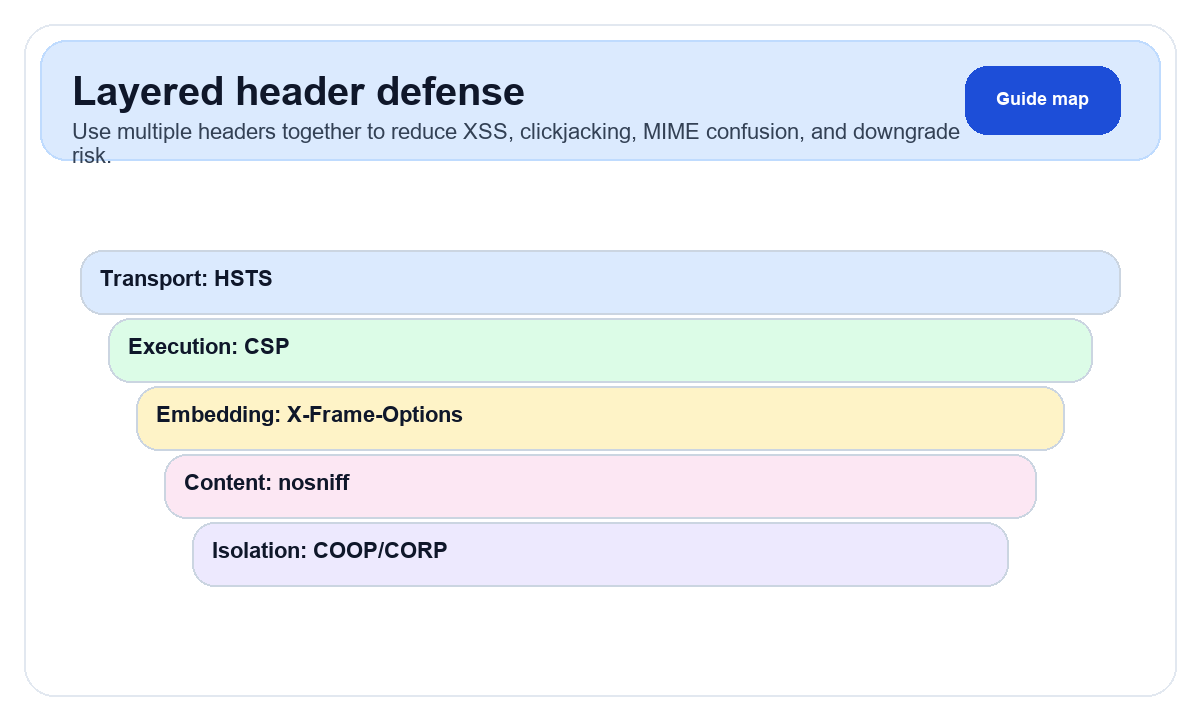
Why Security Headers Matter
- Block malicious scripts →
Content-Security-Policy - Force HTTPS →
Strict-Transport-Security - Prevent iframe embedding →
X-Frame-Options
Critical Headers Explained
1. Content-Security-Policy (CSP)
CSP whitelists allowed resource sources, serving as the last line of defense against XSS.
# Basic CSP: allow same-origin + Google Analytics + Google AdSense
Content-Security-Policy:
  default-src 'self';
  script-src 'self' https://www.googletagmanager.com https://pagead2.googlesyndication.com;
  style-src 'self' 'unsafe-inline';
  img-src 'self' data: https:;
  font-src 'self' https://fonts.gstatic.com;
  connect-src 'self' https://www.google-analytics.com;
  frame-src https://googleads.g.doubleclick.net;
⚠️ Warning: Misconfigured CSP will immediately break page functionality (JS won't load, images won't display, fonts missing). Start with
Content-Security-Policy-Report-Only mode to test. Switch to enforcement only after confirming zero violations.2. Strict-Transport-Security (HSTS)
Strict-Transport-Security: max-age=31536000; includeSubDomains; preload
# max-age=31536000  → cached for 1 year
# includeSubDomains → all subdomains also forced to HTTPS
# preload           → eligible for browser preload list
3. X-Frame-Options
X-Frame-Options: DENY           # completely block embedding
X-Frame-Options: SAMEORIGIN     # allow same-origin embedding only
4. Other Important Headers
| Header | Purpose | Value |
|---|---|---|
X-Content-Type-Options | Prevent MIME sniffing | nosniff |
Referrer-Policy | Control Referer leakage | strict-origin-when-cross-origin |
Permissions-Policy | Control browser APIs | camera=(), microphone=() |
With vs Without Security Headers
| Attack | Without | With |
|---|---|---|
| XSS | Scripts execute freely | CSP blocks |
| Clickjacking | Can be iframed | X-Frame-Options blocks |
| Downgrade | MITM can hijack | HSTS enforces HTTPS |
| MIME confusion | Text executed as script | nosniff prevents |
Complete Nginx Configuration
server {
    listen 443 ssl http2;
    server_name example.com;

    # Security headers
    add_header Strict-Transport-Security "max-age=31536000; includeSubDomains; preload" always;
    add_header X-Frame-Options "SAMEORIGIN" always;
    add_header X-Content-Type-Options "nosniff" always;
    add_header X-XSS-Protection "1; mode=block" always;
    add_header Referrer-Policy "strict-origin-when-cross-origin" always;
    add_header Permissions-Policy "camera=(), microphone=(), geolocation=()" always;
    add_header Content-Security-Policy "default-src 'self'; script-src 'self' https://www.googletagmanager.com; style-src 'self' 'unsafe-inline'; img-src 'self' data: https:;" always;

    # Hide server version
    server_tokens off;
}
How to Check Your Headers
# curl to view response headers
curl -I https://example.com

# Browser DevTools
# → Network → click any request → Response Headers

# Online tools
# ipinfo.im HTTP Headers tool — one-click inspection
Common Misconceptions
Myth 1: "I use HTTPS, so I don't need security headers." HTTPS only encrypts transport—it doesn't prevent browser-layer attacks.
Myth 2: "Security headers hurt performance." They're just a few text lines—effectively zero impact.
Myth 3: "Configure once and forget." CSP needs updating as your site evolves.
Use ipinfo.im's HTTP Header Inspection tool for a complete analysis and missing header recommendations.