What Is an IP Address and Why Do You Need Your "IP Info"?
Every device connected to the internet must have a unique identifier. This is your IP (Internet Protocol) address. It functions as both a routing label and a rough geographic locator, enabling data packets to travel from a server across the globe to your specific device. If you have ever wondered, "what is my ip?", you are not alone. Millions of people search for this question every month, driven by needs ranging from basic curiosity to critical network troubleshooting.
Knowing your IP information is essential for a wide range of tasks: troubleshooting network connectivity issues, configuring home routers and firewalls, setting up secure remote access, running game servers, diagnosing VPN connection problems, and understanding your online privacy posture. Your IP address is the foundation upon which all internet communication is built, and understanding it gives you greater control over your digital presence.
How to Find Your IP Information Instantly
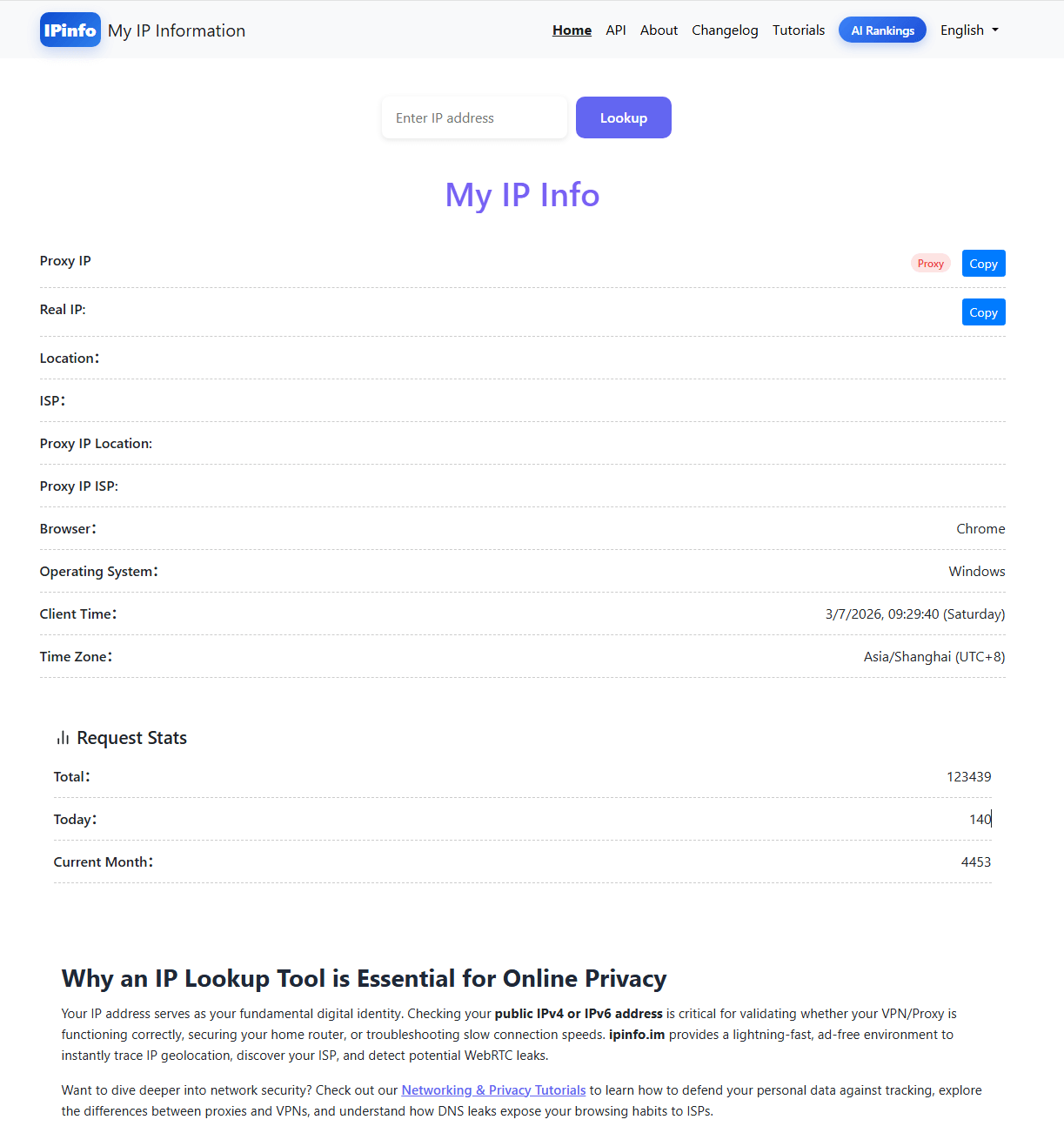
There are several methods for discovering your IP address, each suited to different situations. The simplest approach is to visit a dedicated IP lookup service. When you navigate to ipinfo.im, your public IP address, ISP name, and approximate geographic location are displayed immediately without any input required. The tool detects your IP from the incoming connection and presents all available information in a clear dashboard.
For command-line users, you can retrieve your IP address using tools like curl or wget. Running curl ipinfo.im/ip returns your public IP as plaintext, which is useful for scripting and automation. The JSON endpoint at curl ipinfo.im/json returns a structured response including your IP, location, and ISP details, suitable for programmatic consumption.
On your local device, you can find your private IP address using operating system tools. On Windows, open Command Prompt and type ipconfig. On macOS or Linux, use ifconfig or ip addr show. These commands show your private IP address assigned by your local router, which is different from the public IP that the rest of the internet sees.
Public IP vs. Private IP
- Public IP: This is the address assigned to your router by your ISP. It is globally unique and routable on the public internet. When you visit a website, the web server sees this address and sends its response back to it. All devices on your home network share the same public IP through a process called Network Address Translation (NAT).
- Private IP: This is the internal address assigned to your specific device by your home router's DHCP server. Private IP addresses fall within reserved ranges defined by RFC 1918:
10.0.0.0/8,172.16.0.0/12, and192.168.0.0/16. These addresses are not routable on the public internet and can be reused in different private networks without conflict.
The distinction between public and private IPs is fundamental to modern networking. NAT, the technology that translates between private and public addresses, is what allows billions of devices to share the limited IPv4 address space. When a device on your network sends a packet to the internet, your router replaces the private source IP with the public IP and keeps track of the mapping so that return traffic can be directed to the correct internal device.
How IP Addresses Are Assigned
The global IP address allocation system is hierarchical, with responsibility distributed across multiple organizations. At the top level, the Internet Assigned Numbers Authority (IANA) manages the overall pool of IP addresses. IANA allocates large blocks to five Regional Internet Registries (RIRs), each responsible for a geographic region: ARIN (North America), RIPE NCC (Europe, Middle East, Central Asia), APNIC (Asia-Pacific), LACNIC (Latin America and Caribbean), and AFRINIC (Africa).
The RIRs, in turn, allocate address blocks to Local Internet Registries (LIRs), which are typically ISPs or large organizations. Your ISP receives its allocation from the appropriate RIR and then assigns individual public IP addresses to its customers. For residential customers, this assignment is usually dynamic, meaning the IP address can change periodically. For business customers, static IP assignments are common, providing a consistent address for hosting services.
At the local network level, IP addresses are typically assigned using the Dynamic Host Configuration Protocol (DHCP). When your device connects to a network, it sends a DHCP discover message. The DHCP server (usually your router) responds with an available IP address, a subnet mask, a default gateway address, and DNS server addresses. This lease is temporary and must be renewed periodically. The lease duration varies by network but is typically between several hours and several days for home networks.
Static IP assignment is the alternative to DHCP, where an administrator manually configures a device with a specific IP address. Static IPs are used for servers, network printers, and other devices that need a consistent address for other devices to connect to. In most home networks, a combination of static and dynamic assignment is optimal: static for infrastructure devices and dynamic for user devices.
IPv4 vs IPv6: Which One Are You Using?
IPv4 addresses are 32-bit numbers written as four decimal octets (for example, 203.0.113.45). The IPv4 address space provides approximately 4.3 billion unique addresses, which seemed abundant when the protocol was designed in the 1980s but has since been exhausted. All five RIRs have depleted their free pools of IPv4 addresses, and new allocations are increasingly difficult to obtain.
IPv6 was developed to solve this address exhaustion problem. IPv6 addresses are 128 bits long, written as eight groups of four hexadecimal digits separated by colons (for example, 2001:0db8:85a3:0000:0000:8a2e:0370:7334). The IPv6 address space is enormous, providing approximately 340 undecillion unique addresses, which is sufficient to assign a unique address to every atom on the surface of the Earth and still have addresses left over.
Many networks today operate in a dual-stack configuration, meaning they support both IPv4 and IPv6 simultaneously. When you visit ipinfo.im, the tool detects whether you are connecting over IPv4, IPv6, or both, and displays the relevant addresses. Mobile networks (cellular connections) are increasingly IPv6-only or IPv6-preferred, which means users on smartphones may see an IPv6 address as their primary address.
To check which protocol you are using, visit ipinfo.im and examine the displayed address. An IPv4 address contains only numbers and periods (like 203.0.113.45), while an IPv6 address contains hexadecimal characters and colons (like 2001:db8::1). If you see both addresses displayed, your network supports dual-stack connectivity, which is the optimal configuration for compatibility with all internet services.
What Information Can Be Derived from Your IP?
An IP address reveals more information than most people realize. IP geolocation databases map IP addresses to approximate physical locations. The accuracy of this mapping varies: it is typically accurate to the country level in virtually all cases, accurate to the city level in roughly 70-80% of cases, and accurate to the neighborhood level only in limited circumstances. Geolocation works by mapping the IP address ranges assigned to ISPs and correlating them with the geographic areas those ISPs serve.
ISP Identification: Every public IP address is part of a block assigned to a specific organization, usually an ISP. By looking up the IP address in a WHOIS database or an IP intelligence service, anyone can determine which ISP you are using. This information reveals your internet provider's name, their abuse contact email, and the network they operate.
Autonomous System Number (ASN): Each large network on the internet is identified by an ASN. The ASN tells you which network operates the IP address. For consumer ISPs, the ASN corresponds to the ISP. For VPN providers, the ASN reveals the hosting company or data center that operates the VPN server. Checking the ASN is a reliable way to verify whether your VPN is active.
Proxy and VPN Detection: IP intelligence services maintain databases of IP addresses known to belong to VPN providers, proxy services, Tor exit nodes, and data centers. When your IP appears in one of these databases, websites can detect that you are using a privacy tool and may block access or require additional verification. This is why some streaming services and banking websites restrict access from known VPN IPs.
Blacklist Status: IP addresses can be listed on blacklists (also called blocklists or DNSBLs) if they have been associated with spam, malware distribution, or other malicious activity. If your IP is on a blacklist, you may experience difficulties sending email (messages rejected or sent to spam folders), accessing certain websites, or connecting to online services. Checking your IP against major blacklists is an important diagnostic step when troubleshooting email delivery issues.
Dynamic vs Static IP Addresses
Most residential internet connections use dynamic IP addressing, where your ISP assigns your router a public IP address that can change over time. The frequency of change depends on the ISP and the protocol used for address assignment. Some ISPs change addresses every few hours, others every few days, and some maintain the same address for weeks or months as long as the connection remains active. Disconnecting and reconnecting your router typically triggers a new address assignment.
Dynamic IP addresses have several implications. From a privacy perspective, a changing IP makes long-term tracking based on IP address alone more difficult. However, ISPs maintain logs mapping IP addresses to subscriber accounts at each point in time, so this provides limited privacy benefit against legal requests. From a functionality perspective, dynamic IPs make it difficult to host services (web servers, game servers, mail servers) because the address others use to reach you keeps changing.
Static IP addresses are fixed and do not change. They are typically offered as a premium service by ISPs and are standard for business internet connections. A static IP is necessary for hosting any service that others need to reach by IP address, for configuring DNS records that point to your server, and for setting up secure site-to-site VPN tunnels between offices.
Dynamic DNS (DDNS) is a compromise solution that maps a hostname to your changing IP address. DDNS services work by running a small client on your network that periodically updates the DNS record whenever your IP changes. This allows you to access your home network using a consistent hostname (like myhouse.ddns.net) even though the underlying IP address changes. Many consumer routers include built-in DDNS client support.
Common Scenarios Where You Need Your IP Info
Understanding your IP information becomes critical in several practical situations that both technical professionals and everyday users encounter.
Remote Work VPN Setup: When configuring a VPN connection to your employer's network, IT administrators often need your public IP address to add it to their firewall's allowlist. Additionally, after connecting to the VPN, you should verify your IP using ipinfo.im to confirm that your traffic is being routed through the corporate network. If the IP and ISP fields still show your home connection, the VPN tunnel may not be carrying all your traffic (split tunneling may be enabled).
Gaming Server Configuration: Running a dedicated game server requires knowing your public IP address so other players can connect. You also need to configure port forwarding on your router, which maps external ports on your public IP to internal ports on the server's private IP. If other players report connection failures, checking your IP on ipinfo.im can confirm whether your public IP has changed since you last shared it.
Email Server Troubleshooting (SPF/DKIM): If you operate a mail server, your public IP address must be listed in your domain's SPF (Sender Policy Framework) DNS record. The SPF record tells receiving mail servers which IP addresses are authorized to send email on behalf of your domain. If your IP is not in the SPF record, or if your IP has been listed on a blacklist, your outgoing emails may be rejected or marked as spam. Checking your IP and comparing it to your SPF record is a standard first step in diagnosing email delivery problems.
Security Incident Response: During a security investigation, IP addresses are fundamental evidence. If you notice suspicious login attempts on your accounts, the IP addresses in the login logs can be looked up to determine their geographic origin and the network they belong to. If a login came from an IP in a country you have never visited, associated with a VPN service you do not use, it strongly suggests unauthorized access. IP lookup tools are essential in the incident responder's toolkit for attributing malicious activity to specific networks and regions.
Content Access and Geo-restrictions: Streaming services, news websites, and online stores often restrict content based on your IP address's geographic location. If you are traveling abroad and cannot access your usual streaming library, checking your IP on ipinfo.im will confirm what location the service sees. This information helps you understand whether a VPN or other solution is needed to access region-locked content from your home country.
How ipinfo.im Provides Comprehensive IP Intelligence
The ipinfo.im platform is designed to provide immediate, comprehensive visibility into your network identity. When you visit the homepage, the system automatically detects your public IP address from the incoming connection. For users on dual-stack networks with both IPv4 and IPv6 connectivity, the tool identifies and displays both addresses separately, giving you a complete picture of your network exposure.
The core lookup engine queries multiple data sources to provide the following information for any IP address: the geographic location (country, region, and city), the ISP or organization that owns the IP address block, the Autonomous System Number (ASN) and network name, and the connection type. This information is presented through a clean web interface for interactive use and through a RESTful API for programmatic access.
The API endpoints support multiple use cases. The /ip endpoint returns your public IP as plaintext, ideal for shell scripts and monitoring tools. The /json endpoint returns a structured JSON response with complete IP intelligence data. The /json/<ip> endpoint allows querying any arbitrary IP address, useful for investigating suspicious addresses from log files or security incidents. All API endpoints support language parameters for internationalized responses.
For CLI users, the tool provides seamless integration with standard Unix tools. Running curl ipinfo.im/ip from a terminal returns your IP address directly, which can be piped into other commands or captured in shell variables. This makes ipinfo.im useful for automated health checks, VPN verification scripts, and network monitoring workflows. The tool automatically detects curl, wget, and other command-line clients and returns appropriate plaintext responses instead of HTML.
The platform is accessible without registration or API keys for basic queries, making it a convenient resource for quick lookups. Whether you are a system administrator diagnosing a routing issue, a developer testing a geolocation feature, or a home user checking whether your VPN is working, ipinfo.im provides the IP intelligence you need in a straightforward interface.
The Importance of Regularly Checking Your IP Information
There are several critical reasons to regularly monitor your IP information:
- Privacy and Security Verification: If you use a VPN or proxy for privacy, regularly checking your IP ensures that your actual address is not leaking. A VPN connection can silently fail due to network changes, software updates, or configuration errors. If your IP info still shows your real ISP and hometown while your VPN is supposedly active, your real IP is exposed.
- Geo-blocking Diagnostics: Streaming services and other content platforms restrict access based on IP geolocation. Checking your IP location confirms whether you appear to be in the correct region for the content you want to access. If the location does not match your expectations, it may indicate a DNS leak, a VPN misconfiguration, or an ISP-level transparent proxy.
- Network Diagnostics: IT professionals frequently need to verify IP address assignments, confirm routing paths, and check whether specific addresses are associated with known malicious networks. The ASN and ISP information available through IP lookup tools provides immediate context about any IP address.
- Blacklist Monitoring: If you host services or send email from your IP, monitoring blacklist status is essential. Being listed on a major blacklist can disrupt email delivery and access to services. Early detection through regular IP checks allows you to address the issue before it causes significant impact.
Conclusion
Understanding your IP information is a practical skill relevant to everyone who uses the internet. Your IP address is not just a technical identifier; it reveals your ISP, your approximate location, and your network identity to every server you connect to. By regularly checking and understanding your IP information using tools like ipinfo.im, you maintain visibility into your network presence and can quickly identify when something is not working as expected. Whether you are troubleshooting a connectivity issue, verifying your VPN, or investigating a security incident, accurate IP intelligence is the starting point for effective diagnosis and resolution.